

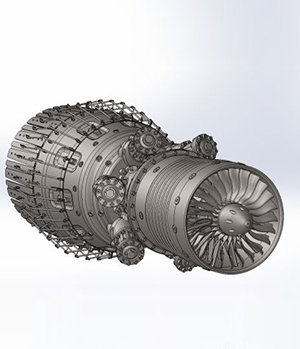
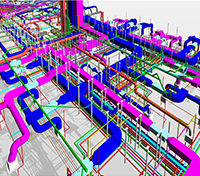
Enquiry Now
Excel Technical Institute (ETI)

Revit MEP Training in Pune

Master MEP Design, BIM Modelling & Coordination with Autodesk Revit

Excel Technical Institute (ETI)

SolidWorks Training in Pune

3D CAD Modelling, Assembly Design, Sheet Metal & FEA Simulation — Industry-Ready Training

About Us

Excel Technical Institute (ETI)

Excel Technical Institute (ETI) presents a REVIT MEP & SOLIDWORKS TRAINING COURSES, the Post Graduate Diploma in REVIT MEP & SOLIDWORKS TRAINING COURSES, aimed at delivering comprehensive knowledge and industrial exposure in the piping sector. This 4-month intensive program empowers fresh engineering graduates to accelerate their careers in various REVIT MEP & SOLIDWORKS TRAINING COURSE fields.

With a focus on experiential learning, learners delve into industrial requirements and applications through live mentor sessions, reinforcing their understanding with an industry perspective.
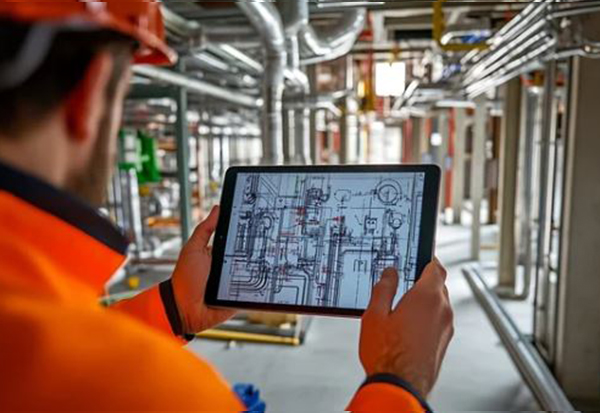
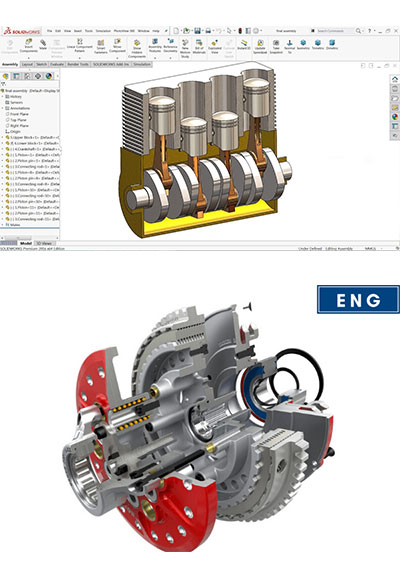
  • SolidWorks Training Course
  • Revit MEP Training Course
Excel Technical Institute (ETI)

Our Featured Course

SolidWorks Training Course

  • Duration: 2 Months (Flexible Batches)
  • Eligibility: Diploma / B.E. / B.Tech – Mechanical, Production, Industrial, 12th pass, Any graduate
  • Certification: CSWA Exam Preparation Included
  • Mode: Offline & Online

SolidWorks is one of the most widely used 3D CAD (Computer-Aided Design) software platforms in the mechanical engineering and manufacturing world. From automotive components to industrial machinery, consumer products to precision instruments — if it's designed and manufactured, chances are SolidWorks had a hand in it.

At Excel Technical Institute, our SolidWorks training course goes well beyond button-clicking tutorials. We focus on how mechanical design actually happens in a professional environment — part modelling, assembly constraints, drawing generation, sheet metal fabrication, and simulation-based validation. Every session is hands-on, and you'll walk away with a portfolio of real project work.
Course Curriculum

  • Overview of parametric 3D CAD and where SolidWorks fits in the industry
  • SolidWorks interface: CommandManager, FeatureManager, PropertyManager
  • Sketch environment — lines, arcs, circles, relations, and dimensions
  • Sketch constraints and fully-defined vs. under-defined sketches
  • Introduction to part modelling workflow

  • Boss-Extrude, Cut-Extrude, and Revolve features
  • Fillets, chamfers, draft, and shell — refining geometry
  • Rib, loft, and sweep for complex organic shapes
  • Patterns — linear, circular, and mirror features
  • Design intent and best practices for parametric modelling

  • Bottom-up and top-down assembly approaches
  • Mates — coincident, concentric, parallel, tangent, and advanced mates
  • Interference detection and collision analysis
  • Exploded views and animation for assembly documentation
  • Bill of Materials (BOM) and part numbering

  • Creating drawing views — standard, section, detail, and auxiliary
  • Dimensioning, tolerances, and surface finish symbols
  • Geometric Dimensioning & Tolerancing (GD&T) basics
  • Title block customisation and drawing templates
  • Printing, PDF export, and drawing revision management

  • Sheet metal part creation — flanges, bends, and reliefs
  • K-factor, bend allowance, and material properties
  • Edge flanges, hems, and gussets
  • Flat pattern generation for fabrication
  • Converting solid parts to sheet metal

  • Introduction to Finite Element Analysis (FEA) and why it matters
  • Static stress analysis — applying loads, fixtures, and material properties
  • Mesh generation and result interpretation (von Mises stress, displacement)
  • Factor of safety analysis and design optimisation
  • Thermal and frequency analysis — overview

  • Structural member profiles and weldment design
  • Trim/extend, end caps, and gusset plates
  • Cut list generation and weld bead profiles
  • Creating fabrication drawings from weldments

  • CSWA (Certified SolidWorks Associate) exam format and question types
  • Timed practice tests with model reconstruction exercises
  • Live industry project: Machine component or product design assignment
  • Project review by experienced mechanical design professionals
  • Resume building and interview preparation for CAD / design roles
Who Should Join?
  • Mechanical, Production & Industrial Engineering graduates (B.E. / B.Tech / Diploma)
  • Freshers looking to enter product design, manufacturing, or R&D roles
  • Working engineers who use AutoCAD 2D and want to move into 3D parametric design
  • ITI / Polytechnic students who want to strengthen their CAD skills
  • Professionals preparing for the CSWA certification exam
  • Anyone targeting roles at manufacturing companies, OEMs, or design consultancies

Revit MEP Training Course

  • Duration: 2 Months (Flexible Batches)
  • Mode: Online & Offline
  • Eligibility: Diploma / B.E. / B.Tech – Civil, Mechanical, Electrical
  • Software: Autodesk Revit MEP
  • Certification: Industry-Recognised ETI Certificate
  • Job Guarantee: 100% Placement Support

The MEP (Mechanical, Electrical & Plumbing) industry in India is growing fast — and so is the demand for professionals who can work in BIM-based environments. Revit MEP is Autodesk's industry-standard Building Information Modelling software used worldwide for designing and coordinating HVAC, electrical, and plumbing systems within 3D building models.

At Excel Technical Institute, our Revit MEP training course is built around what the industry actually expects. You won't just learn the software — you'll work on real-project scenarios, understand clash detection, and develop the skills needed to contribute to multi-disciplinary BIM teams from day one.

Course Curriculum

  • What is BIM? Understanding the BIM workflow in MEP projects
  • Introduction to Autodesk Revit MEP interface and navigation
  • Revit MEP vs AutoCAD MEP — when to use what
  • Setting up a Revit MEP project: templates, levels, grids
  • Linking Architectural and Structural Revit models

  • Duct systems — supply, return, and exhaust layouts
  • Duct sizing, routing, and pressure drop calculations
  • Air terminals, mechanical equipment families, and fan coil units
  • HVAC schematic diagrams and system browser
  • Clash detection for HVAC systems using Navisworks (overview)

  • Domestic cold and hot water systems
  • Sanitary and drainage line routing
  • Pipe sizing, slope settings, and fixture connections
  • Fire protection systems — sprinkler layout basics
  • Creating plumbing schedules and material take-offs

  • Lighting layout — light fixtures, circuit wiring, and panels
  • Power distribution: circuits, panel boards, and load calculations
  • Conduit and cable tray routing
  • Electrical schematics and single-line diagrams
  • Wiring schedules and switch-board design

  • Multi-discipline clash detection and coordination workflows
  • Creating construction-ready drawings and sheet sets
  • Annotating, tagging, and dimensioning in Revit MEP
  • Generating material schedules, quantities, and legends
  • BIM Level 2 collaboration concepts and cloud-based workflows

  • Live project: Residential / commercial MEP modelling assignment
  • Project review sessions with industry mentors
  • Resume building for Revit MEP / BIM roles
  • Interview preparation and mock technical rounds
Who Should Join?
  • Mechanical, Civil, or Electrical Engineering graduates (B.E. / B.Tech / Diploma)
  • Working MEP engineers who want to move into BIM-based workflows
  • AutoCAD users ready to upgrade to Revit MEP
  • Freshers targeting roles in MEP consultancy or EPC firms
  • Architects and project managers involved in MEP coordination
Excel Technical Institute (ETI)

Why Learners Prefer ETI

At Excel Technical Institute, we offer industry-focused REVIT MEP & SOLIDWORKS TRAINING COURSES designed to provide students with the skills and knowledge needed to excel in the field. Our courses cover key areas such as Piping Design, E3D, Caesar II, and more, ensuring students gain both theoretical and practical expertise. With a strong emphasis on hands-on training, we guarantee that our students are job-ready upon completion. Plus, with our 100% Job Guarantee, we provide not only education but a clear pathway to a successful career in REVIT MEP & SOLIDWORKS TRAINING COURSES. Trust Excel Technical Institute to kickstart your future with the best in technical education and placement support.

100% Placement

Excel Technical Institute ensures that its students are well-equipped to succeed in the job market

Expert Faculties

Courses are taught by experienced professionals who bridging the gap between academia and practical skills.

Hands-On Learning

The institute emphasizes practical training, ensuring that students apply the concepts in real-world scenarios.

Affordable Learning

With affordable course fees and value-packed programs like workshops and seminars, the institute ensures high-quality education is accessible to all.

Flexible Learning Options

Both online and offline courses are available, allowing students to choose a mode of learning that fits their schedule and lifestyle.

Professional Certifications

All programs include industry-recognized certifications, enhancing employability and credibility in the job market.

Excel Technical Institute

Our Courses- Highlights

100% Job

Lecture Notes

Experts Guidance

Industrial Skills

Assignments

Latest Curriculum

Course Certification

70 + Sessions

Career Guidance

Excel Technical Institute (ETI)

Transforming Futures: Student Testimonials from Excel Technical Institute

Excel Technical Institute offers top-tier Piping Engineering education, combining expert instruction with hands-on training. Students gain proficiency in industry-leading software like E3D and Caesar II, ensuring they’re equipped for real-world challenges. Our comprehensive curriculum and 100% Job Guarantee make us the ideal choice for those seeking a successful career in Piping Engineering.


Excel Technical Institute

What our Students Say about Our Career Oriented Courses?

Testimonials

What our Students Say.